 7e7822fbed
For the overall OPcache size check, we currently compare used memory with free memory. However, `opcache.memory_consumption` is split into `used_memory`, `free_memory` and `wasted_memory`. When cached files change on disk, old entries are not replaced or removed, but remain as wasted memory, until the cache is actually full, and if their percentage is above `opcache.max_wasted_percentage`, which is 5% by default. When this happens, the engine is restarted, resetting the cache completely, like a `opcache_reset()` call. As long as we do not consider wasted cache, recommendations based on free memory can be false. To solve this, we could count wasted memory as free memory, if it is above `opcache.max_wasted_percentage`, as the engine will be restarted as soon as needed, freeing up this wasted space. On the other hand, wasted memory below the threshold permanently blocks the OPcache, which supports counting it as used memory. Depending on the situation, instead of raising OPcache size, it could be also advised to reduce `opcache.max_wasted_percentage`. But too frequent cache resets break its purpose as well. In my opinion, the matter is too complex to consider wasted cache correctly, and do precise recommendations, but we should focus on reducing false positives instead. What we know for sure is: if the cache is full (`$status['cache_full'] === true`), and the limit for cached keys has not been reached, the OPcache was too small to maintain free space, with wasted memory below the configured threshold, where it consumes memory permanently. Recommending to raise the OPcache size in this case, is hence as accurate as it gets. Even if 5% wasted cache could be freed, 95% used memory is still above the previous threshold for the setup check warning. And if `opcache.max_wasted_percentage` is above 5%, then the admin must have decided to change the default, deciding that system memory consumption has lower priority than preventing OPcache engine restarts. `cache_full` can be true as well if the limit for cached keys has been reached, hence we need to merge both checks. In this case `num_cached_keys` equals `max_cached_keys` exactly, hence it is easy to differentiale whether `opcache.max_accelerated_files` or `opcache.memory_consumption` needs to be raised to address the `cache_full` state. In practice, this change relaxes the checks: the respective limit needs to be reached 100% instead of 90%, to trigger a warning, eliminating also false alarms if a large share of the cache is consumed by wasted memory, which would be automatically freed once cache is 100% full. Additionally, the recommendation for raising `opcache.max_accelerated_files` now says "a value higher than `max_cached_keys`", instead of "higher than `opcache.max_accelerated_files`". The actual limit, reflected by `max_cached_keys` from `opcache_get_status()`, [is a next higher value from a set of prime numbers](https://www.php.net/manual/en/opcache.configuration.php#ini.opcache.max-accelerated-files). E.g. if `opcache.max_accelerated_files` is set to 10,000 (PHP default), the effective limit is 16,229 OPcache keys. Recommending "higher than 10000" could hence lead to a settings change without effect. For an effective change, the new value needs to be "higher than 16229" instead, which is what the setup check will show in this situation, with this change applied. Signed-off-by: MichaIng <micha@dietpi.com> |
||
|---|---|---|
| .devcontainer | ||
| .github | ||
| .idea | ||
| .reuse | ||
| .tx | ||
| 3rdparty@29915695b6 | ||
| __mocks__ | ||
| __tests__ | ||
| apps | ||
| build | ||
| config | ||
| contribute | ||
| core | ||
| cypress | ||
| dist | ||
| lib | ||
| LICENSES | ||
| ocs | ||
| ocs-provider | ||
| resources | ||
| tests | ||
| themes | ||
| vendor-bin | ||
| .editorconfig | ||
| .envrc | ||
| .eslintignore | ||
| .eslintrc.js | ||
| .git-blame-ignore-revs | ||
| .gitattributes | ||
| .gitignore | ||
| .gitmodules | ||
| .htaccess | ||
| .jshintrc | ||
| .mailmap | ||
| .npmignore | ||
| .php-cs-fixer.dist.php | ||
| .pre-commit-config.yaml | ||
| .scrutinizer.yml | ||
| .tag | ||
| .user.ini | ||
| AUTHORS | ||
| autotest-checkers.sh | ||
| autotest-external.sh | ||
| autotest.sh | ||
| babel.config.js | ||
| CHANGELOG.md | ||
| CODE_OF_CONDUCT.md | ||
| codecov.yml | ||
| composer.json | ||
| composer.lock | ||
| console.php | ||
| COPYING | ||
| COPYING-README | ||
| cron.php | ||
| custom.d.ts | ||
| cypress.config.ts | ||
| cypress.d.ts | ||
| DESIGN.md | ||
| flake.lock | ||
| flake.nix | ||
| index.html | ||
| index.php | ||
| jest.config.ts | ||
| Makefile | ||
| occ | ||
| package-lock.json | ||
| package.json | ||
| psalm-ocp.xml | ||
| psalm.xml | ||
| public.php | ||
| README.md | ||
| remote.php | ||
| robots.txt | ||
| SECURITY.md | ||
| status.php | ||
| tsconfig.json | ||
| version.php | ||
| webpack.common.js | ||
| webpack.config.js | ||
| webpack.modules.js | ||
Nextcloud Server ☁


A safe home for all your data.
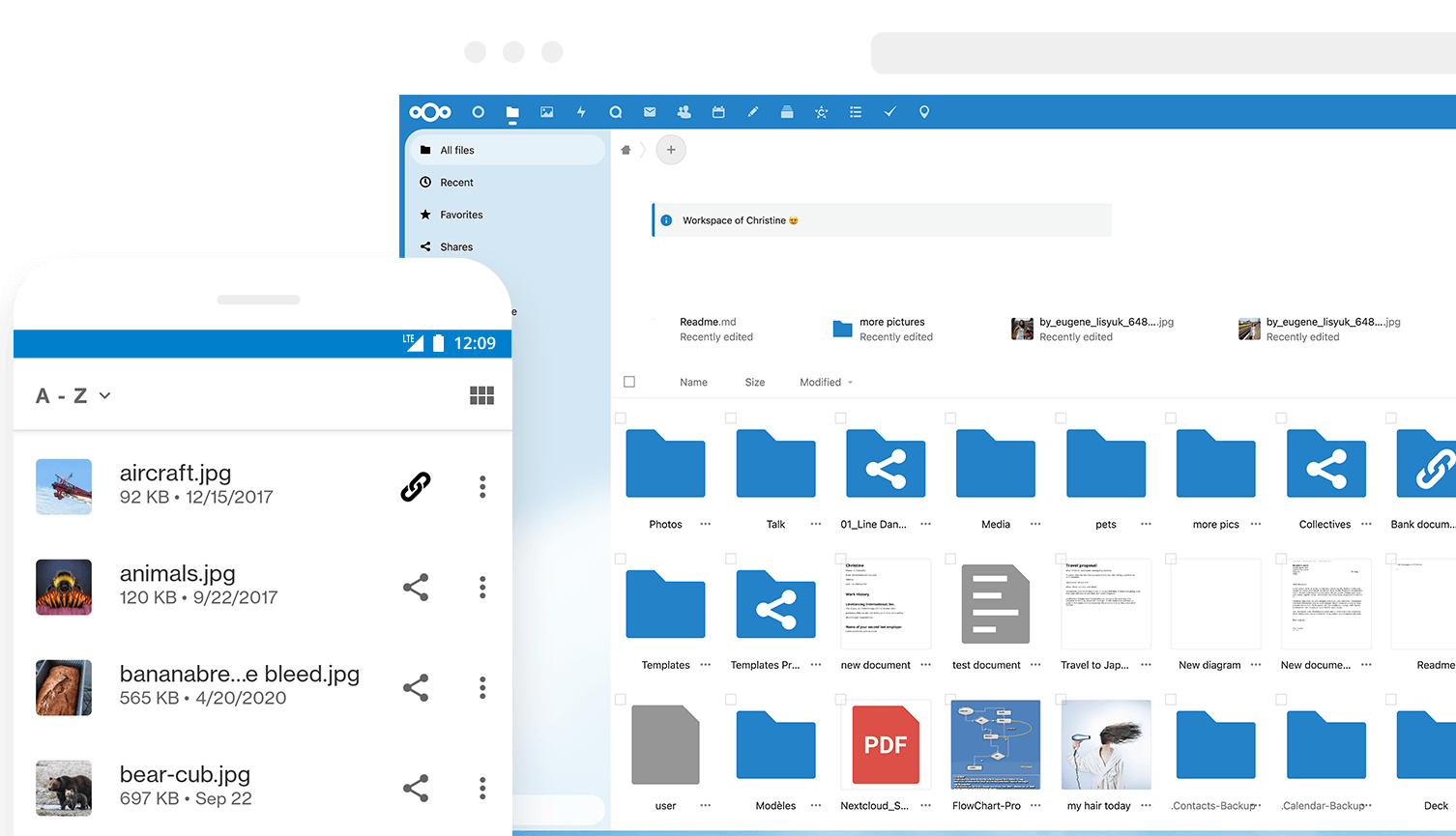
Why is this so awesome? 🤩
- 📁 Access your Data You can store your files, contacts, calendars, and more on a server of your choosing.
- 🔄 Sync your Data You keep your files, contacts, calendars, and more synchronized amongst your devices.
- 🙌 Share your Data …by giving others access to the stuff you want them to see or to collaborate with.
- 🚀 Expandable with hundreds of Apps ...like Calendar, Contacts, Mail, Video Chat and all those you can discover in our App Store
- 🔒 Security with our encryption mechanisms, HackerOne bounty program and two-factor authentication.
Do you want to learn more about how you can use Nextcloud to access, share, and protect your files, calendars, contacts, communication & more at home and in your organization? Learn about all our Features.
Get your Nextcloud 🚚
- ☑️ Simply sign up at one of our providers either through our website or through the apps directly.
- 🖥 Install a server by yourself on your hardware or by using one of our ready-to-use appliances
- 📦 Buy one of the awesome devices coming with a preinstalled Nextcloud
- 🏢 Find a service provider who hosts Nextcloud for you or your company
Enterprise? Public Sector or Education user? You may want to have a look into Nextcloud Enterprise provided by Nextcloud GmbH.
Get in touch 💬
You can also get support for Nextcloud!
Join the team 👪
There are many ways to contribute, of which development is only one! Find out how to get involved, including as a translator, designer, tester, helping others, and much more! 😍
Development setup 👩💻
- 🚀 Set up your local development environment
- 🐛 Pick a good first issue
- 👩🔧 Create a branch and make your changes. Remember to sign off your commits using
git commit -sm "Your commit message" - ⬆ Create a pull request and
@mentionthe people from the issue to review - 👍 Fix things that come up during a review
- 🎉 Wait for it to get merged!
Third-party components are handled as git submodules which have to be initialized first. So aside from the regular git checkout invoking git submodule update --init or a similar command is needed, for details see Git documentation.
Several apps that are included by default in regular releases such as First run wizard or Activity are missing in master and have to be installed manually by cloning them into the apps subfolder.
Otherwise, git checkouts can be handled the same as release archives, by using the stable* branches. Note they should never be used on production systems.
Tools we use 🛠
- 👀 BrowserStack for cross-browser testing
- 🌊 WAVE for accessibility testing
- 🚨 Lighthouse for testing performance, accessibility, and more
Helpful bots at GitHub 🤖
- Comment on a pull request with
/update-3rdpartyto update the 3rd party submodule. It will update to the last commit of the 3rd party branch named like the PR target.
Contribution guidelines 📜
All contributions to this repository from June 16, 2016, and onward are considered to be licensed under the AGPLv3 or any later version.
Nextcloud doesn't require a CLA (Contributor License Agreement). The copyright belongs to all the individual contributors. Therefore we recommend that every contributor adds the following line to the AUTHORS file if they made substantial changes to the code:
- <your name> <your email address>
Please read the Code of Conduct. This document offers some guidance to ensure Nextcloud participants can cooperate effectively in a positive and inspiring atmosphere and to explain how together we can strengthen and support each other.
Please review the guidelines for contributing to this repository.
More information on how to contribute: https://nextcloud.com/contribute/